15% off
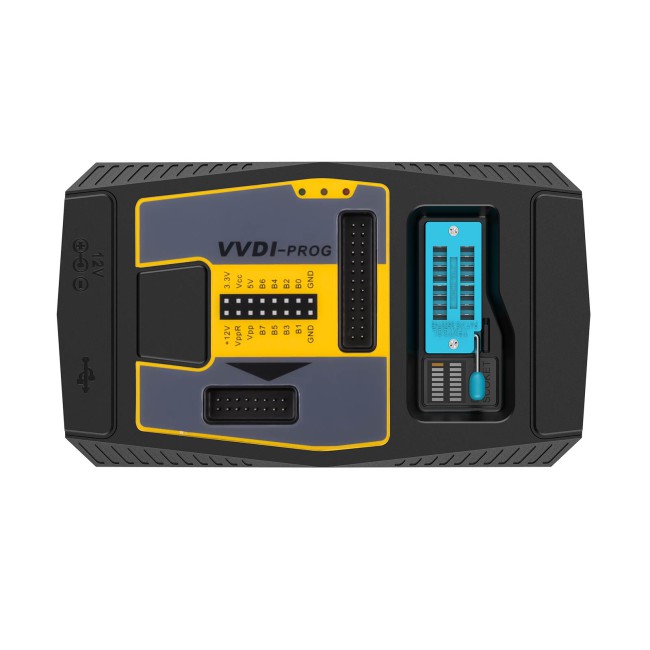
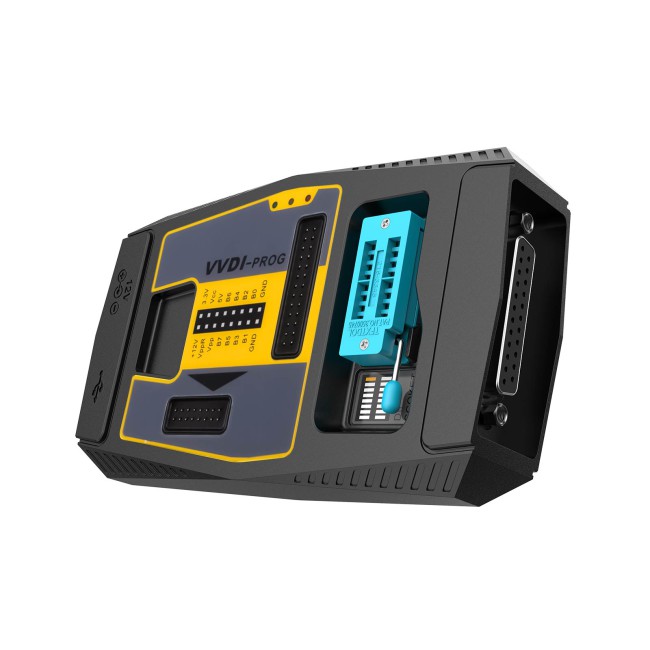
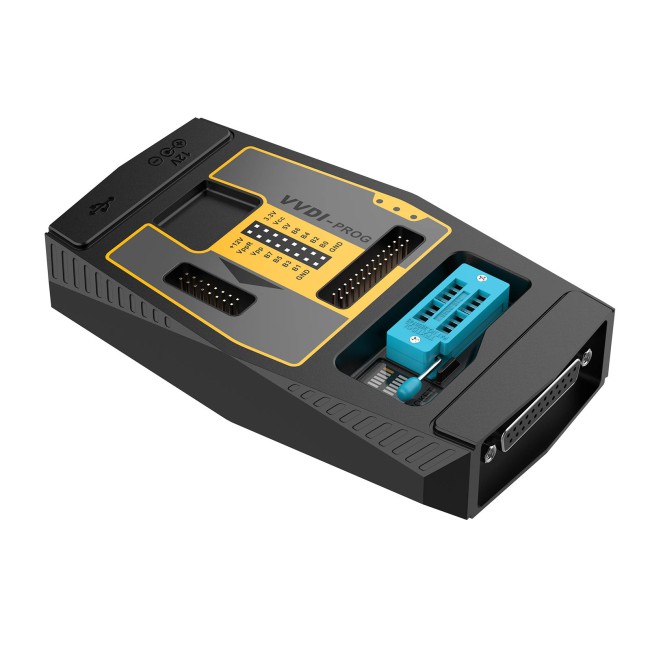
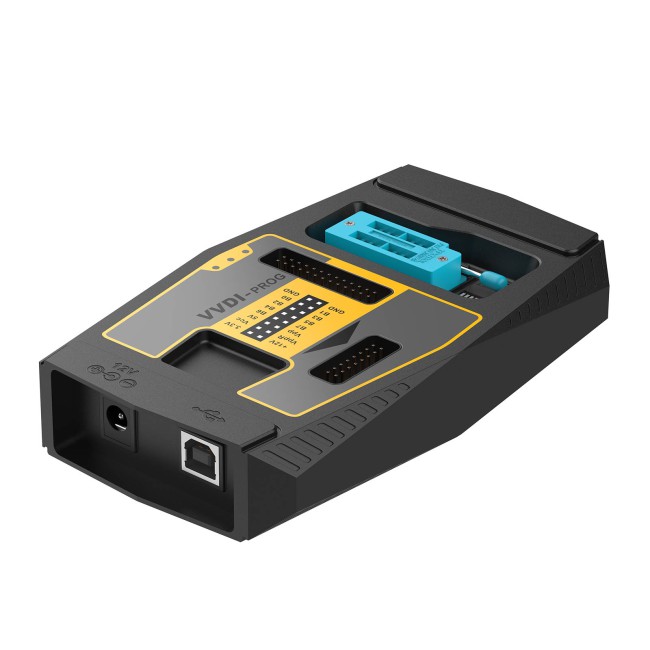
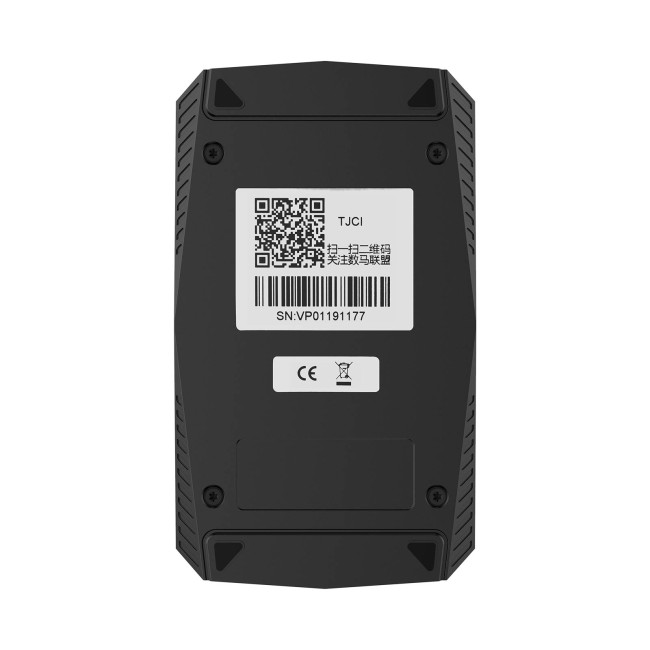


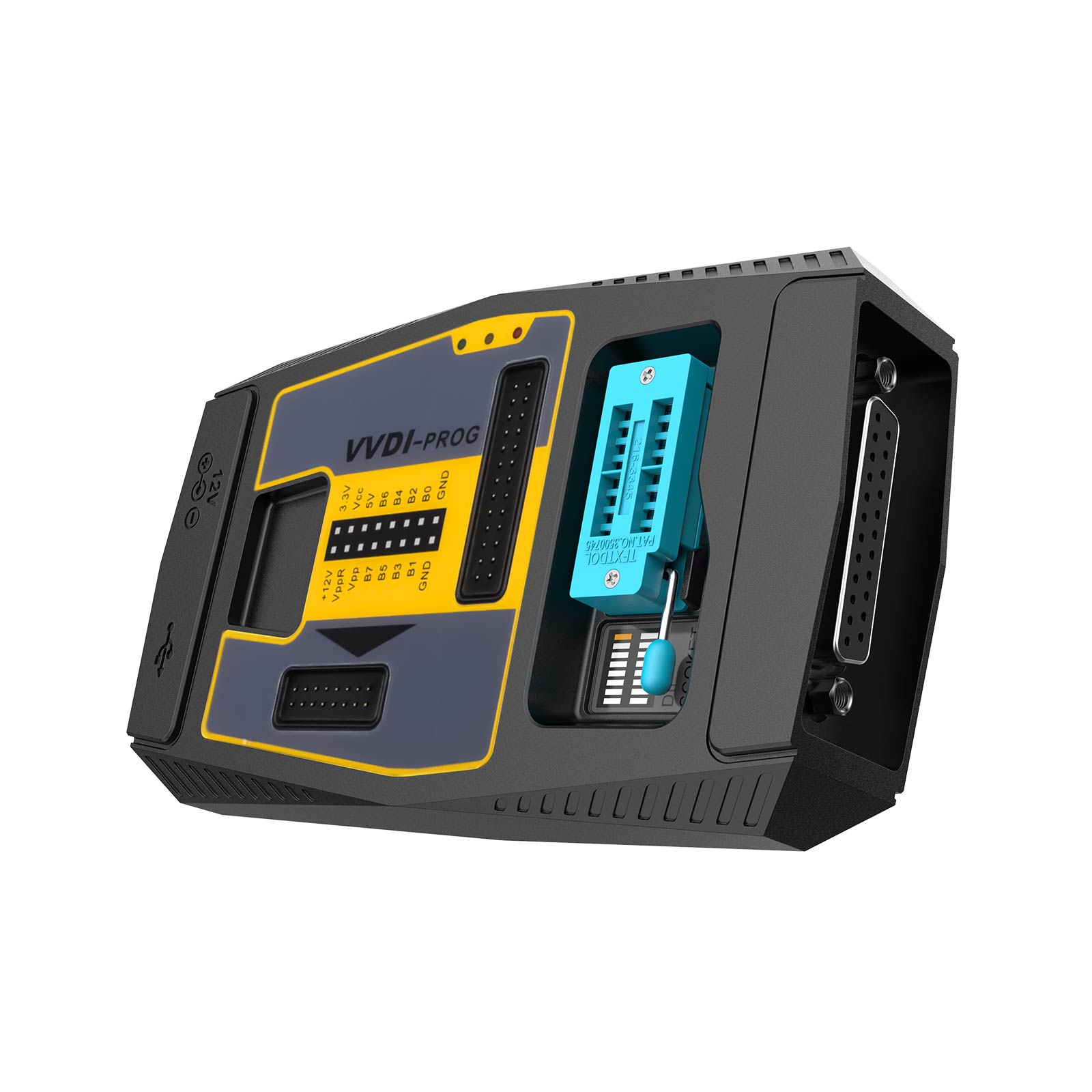
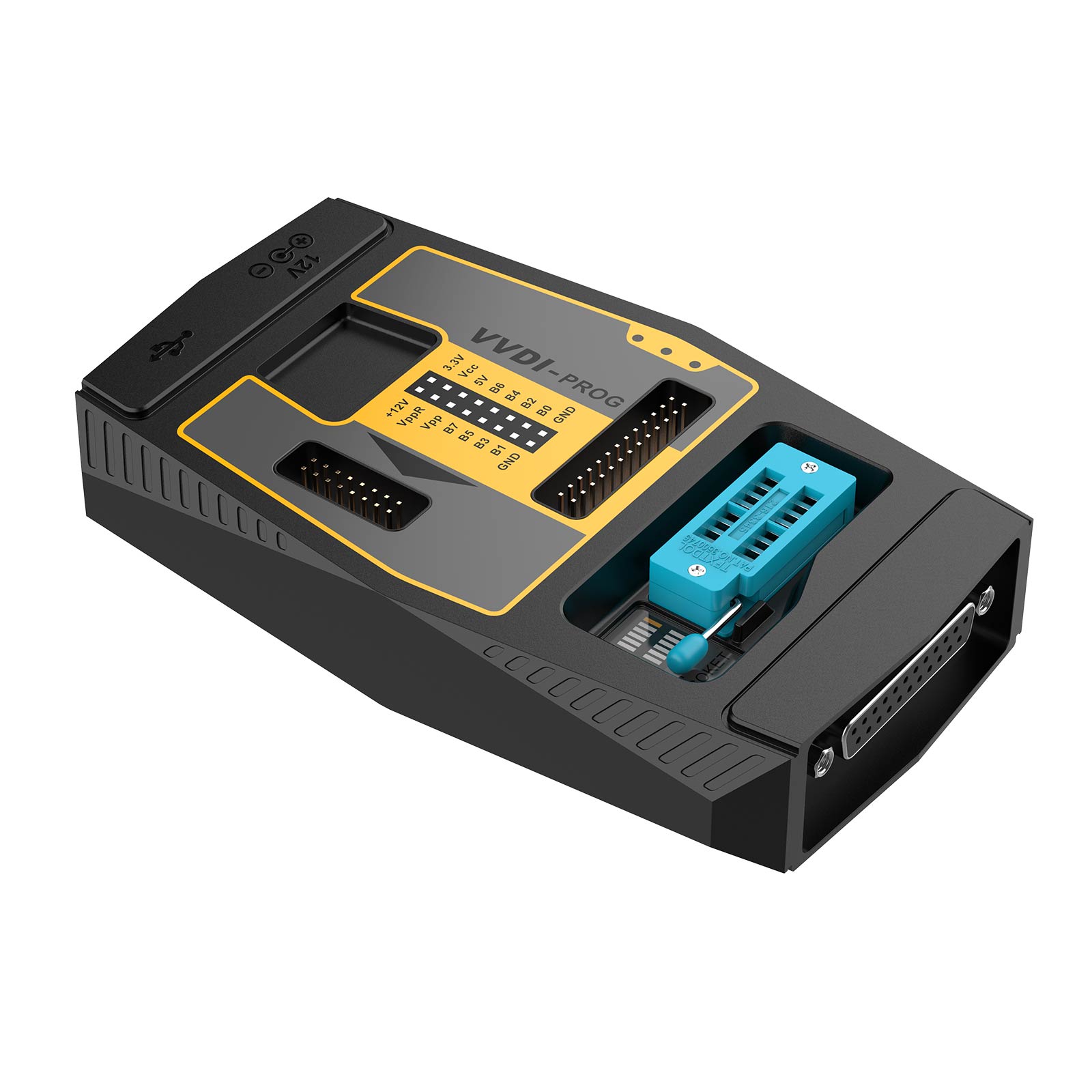
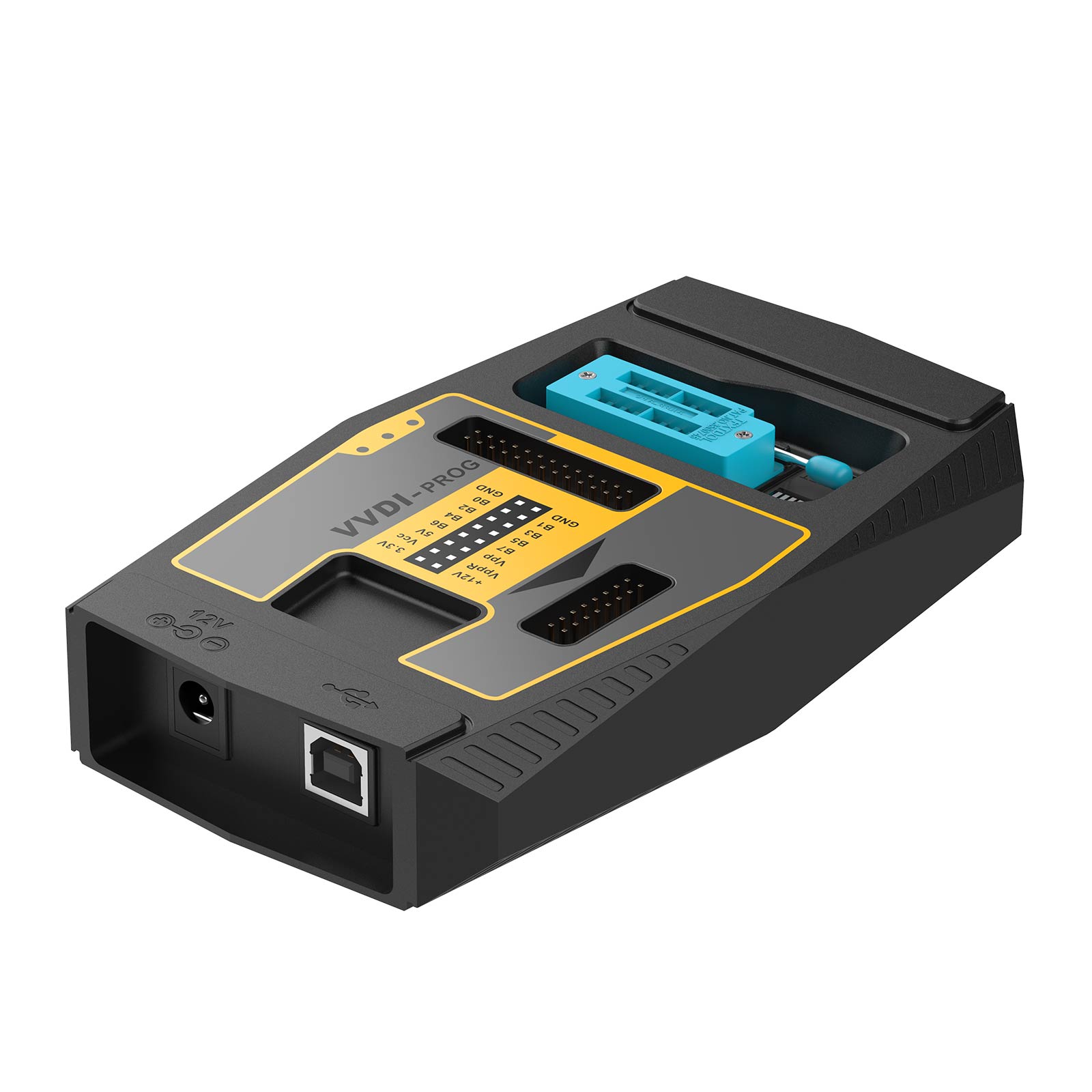
Ship from EU Xhorse VVDI PROG ECU Programmer Multi-Language Free Update with Free BMW ISN Read Function and NEC MPC Infineon etc Chip
Latest price: €456.00Buy Now: €386.00
15% off
Product: Xhorse VVDI PROG


4 Product: Xhorse VVDI PROG
Launch Mega Sale: Sep 13th to 29th
EU No-Tax Fast Delivery
Contact us for better price!
WhatsApp: +86 133 7268 9373
Email: sales@obdstore.eu
EU No-Tax Fast Delivery
Contact us for better price!
WhatsApp: +86 133 7268 9373
Email: sales@obdstore.eu
Shipping:
Free Shipping
Express Shipping ServiceEstimated delivery time: 3-7 Working Days See details »
Weight:
1.4KG
( 0.64LB )
Package:
34cm*28cm*9cm
( Inch: 13.35*11*3.53 )
Returns:
Return for refund within 30 days, buyer pays return shipping. See details »
Related Download Files
Product Description
1, VVDI Prog support update Free Lifetime, Latest Software : V5.3.7
2, Firmware can be updated yourself by "update kit"
3, Support self-test and smart operation mode
4, Read BMW ISN and NEC, MPC, Infineon etc chip
UK/EU warehouse shipping!
2, Firmware can be updated yourself by "update kit"
3, Support self-test and smart operation mode
4, Read BMW ISN and NEC, MPC, Infineon etc chip
UK/EU warehouse shipping!
Xhorse VVDI PROG Key Programmer

Why to buy VVDI PROG from us:
1. Authorized Xhorse Dealer, Guarantee to get 100% original genuine Xhorse machine.
2. Ship from UK/EU warehouse, no clearance problem.
3. Latest Software Version: 5.3.7, free update.
VVDI Prog software Free Download
4. Multi-Language available: English, French, Italian, Spanish, Arabic, Cezch, Polish, Portuguese, Russian, Turkish, Chinese support select in Language option.
5. After-sale warranty: 1 year, Lifetime tech support.
Latest update information (click check vvdi prog update detail information)
-------------------------------------
v5.3.5 (2024-06-18)
* This version DON't need update
firmware
* Fixed the abnormality of reading
serial number in MQB options
* Fixed the abnormal reading problem
of Porsche lithium battery module
v5.3.4 (2024-04-15)
* This version DON't need update
firmware
* Software Update:
Compatible with VP05 serial number
programmer devices
* Modify AM29F200xx,
AM29F400xx,
AM29F800xx
options in
<1-EEPROM&FLASH>->:
Write failure issue fixed
* Modify R5F212L2SD,
R5F212L2SN,
R5F212L4SD,
R5F212L4SN,
R5F21364,
R5F21365,
R5F21366,
R5F21367,
R5F21368,
R5F2136A,
R5F2136C
option in <2-MCU>->:
Wiring diagram update
* Modify JIEFANG-J6-BCM
option in
<4-IMMOBILIZER>->:
Wiring diagram update
* Modify R7F701333
option in
<2-MCU>->:
Wiring diagram update
* Modify R7F701312
option in
<2-MCU>->:
connection failed issue fixed
* Modify JETTA(2015-2020)(D70F3423),
SANTANA(2015-2020)(D70F3423),
C-TREK(2015-2020)(D70F3423)
options in
<5-DASHBOARD>->:
Read exception problem fix
* Modify MQB4.5_95320
option in
<5-DASHBOARD>->:
Wiring diagram update
* Modify RATTAN-ZS
option in
<5-DASHBOARD>->:
Wiring diagram update
* Modify NEW-SANTAFE
option in
<7-AIRBAG>->:
connection failed issue fixed
* Modify FENGSHEN S30(93C46A),
FENGSHEN S30(93C46B)
options in
<8-OTHER>->:
Wiring diagram update
* Modify FAW BCM-3(MC9S12G128)
option in
<8-OTHER>->
-------------------------------------
v5.3.5 (2024-06-18)
* This version DON't need update
firmware
* Fixed the abnormality of reading
serial number in MQB options
* Fixed the abnormal reading problem
of Porsche lithium battery module
v5.3.4 (2024-04-15)
* This version DON't need update
firmware
* Software Update:
Compatible with VP05 serial number
programmer devices
* Modify AM29F200xx,
AM29F400xx,
AM29F800xx
options in
<1-EEPROM&FLASH>->
Write failure issue fixed
* Modify R5F212L2SD,
R5F212L2SN,
R5F212L4SD,
R5F212L4SN,
R5F21364,
R5F21365,
R5F21366,
R5F21367,
R5F21368,
R5F2136A,
R5F2136C
option in <2-MCU>->
Wiring diagram update
* Modify JIEFANG-J6-BCM
option in
<4-IMMOBILIZER>->
Wiring diagram update
* Modify R7F701333
option in
<2-MCU>->
Wiring diagram update
* Modify R7F701312
option in
<2-MCU>->
connection failed issue fixed
* Modify JETTA(2015-2020)(D70F3423),
SANTANA(2015-2020)(D70F3423),
C-TREK(2015-2020)(D70F3423)
options in
<5-DASHBOARD>->
Read exception problem fix
* Modify MQB4.5_95320
option in
<5-DASHBOARD>->
Wiring diagram update
* Modify RATTAN-ZS
option in
<5-DASHBOARD>->
Wiring diagram update
* Modify NEW-SANTAFE
option in
<7-AIRBAG>->
connection failed issue fixed
* Modify FENGSHEN S30(93C46A),
FENGSHEN S30(93C46B)
options in
<8-OTHER>->
Wiring diagram update
* Modify FAW BCM-3(MC9S12G128)
option in
<8-OTHER>->
VVDI Prog High-Advantages:
1. Built-in update software: Make VVDIProg firmware update timely.
2. High-speed USB communication interface: Make software automatically connect.
3. Smart operation mode: possible causes of error will be listed
4. Reserve ports: For future update.
5. Self-test function: Check if the machine works well or not.
6. Power supply: Through USB cable, software will automatically prompt if the external USB power supply is needed
7.Newly Add BMW Bosch Adapter functions, Support Reading ISN from BMW ECU N20 N55 N38
but need to buy VVDI Prog Bosch ECU Adapter
8.Get free BMW ISN read function and NEC, MPC, Infineon etc chip continously update service

Where to find the software download link ?


VVDI Prog Main Feature:
Operation options
File : Load data file
Buffer : Support copy, paste, search, fill function
Device : Support chip read, write, erase operation
Window : Compare two data files
Setting : Read&Verify, Write&Verify, Erase&Check Blank configuration
Language : Change the language,
current support English, Chinese,Polish, Arabic, Czech, Spanish, French, Italian, Portuguese, Russian,Turkish(You can change the language you want.)
1.2. General options: Provide General function buttons, simple and easy for operation, include: new, open, save, read, write, verify, check blank,erase,calculator & upgrade
1.3. Read range: Parts of chips include several data areas, for example EEPROM, FLASH and etc. click on the button select read range
1.4. Data display: Display the read data or load data, include hex and ASCII format
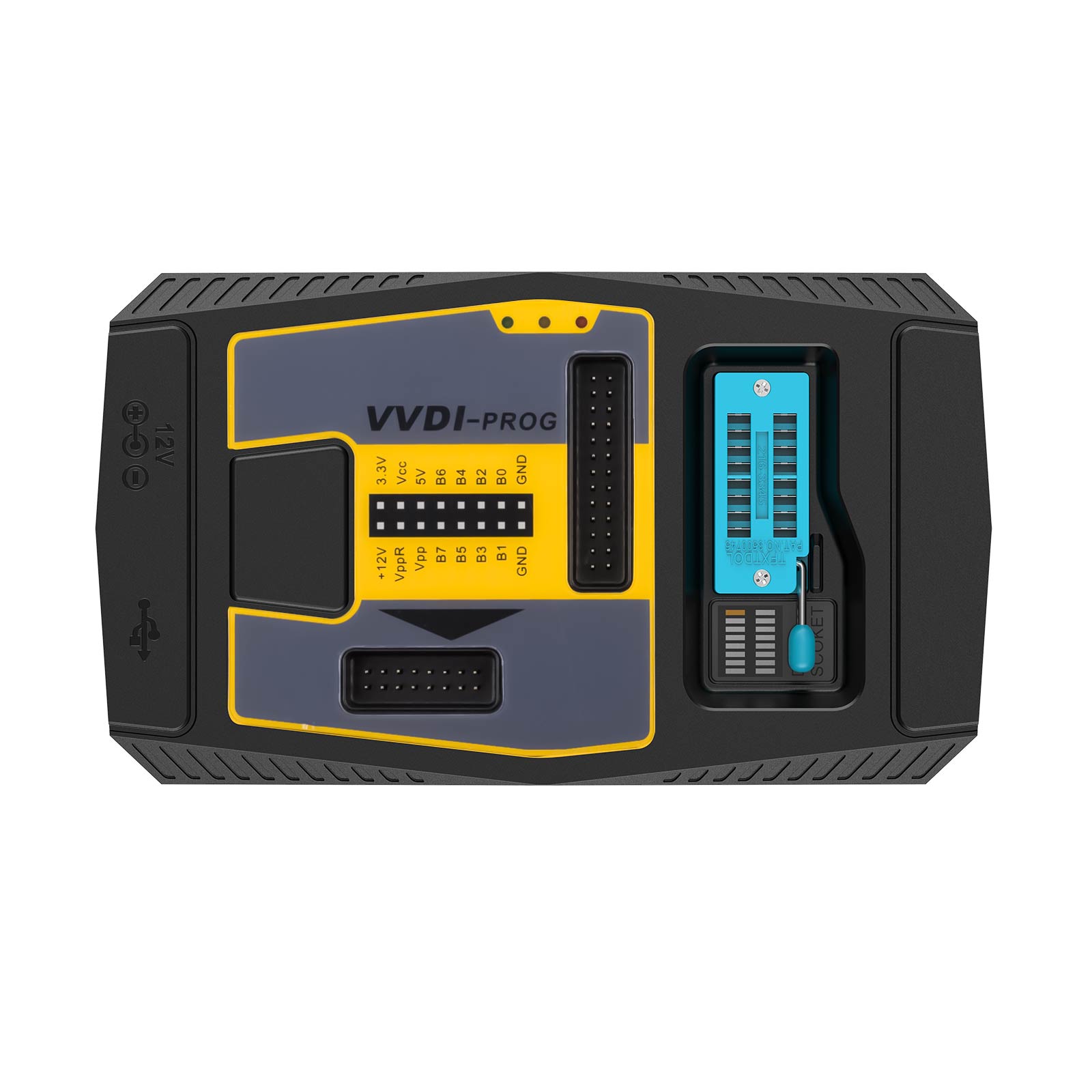
1.5. Power configuration: Display the status of power ( VCC, VPP, 12V), support change the voltage of VCC and VPP (The default voltage usually not need to change)
1.6. Special function options Provide chips special function, for example parts of chips have read chip ID, set security, reset security etc .
1.7. Chip option Select right option according to type,brand and chip
1.8. Option Information: Display parameter information of current option
1.9. Connection diagram button: Click on button, get the connection diagram of current chip
1.10. adapter Type:Display needed adapter of current option
1.11. Operation Information:Display operation information and saved in "log.bin" file
VVDI Prog Hardware Overview:
1. Xhorse VVDI Prog specification:
Working temperature -20 ~ 70 ℃ (- 4 ~ 158 ℉)
Storage temperature -40 ~ 85 ℃ (-40 ~ 185 ℉)
USB interface USB 2.0
Power adaptor 12V / 2A
Consumption 1W
Device dimensions L: 146 mm W: 85 mm H: 28 mm
Package dimensions L: 220 mm W: 155 mm H:80 mm
Net weight 180 g
Gross weight 530 g
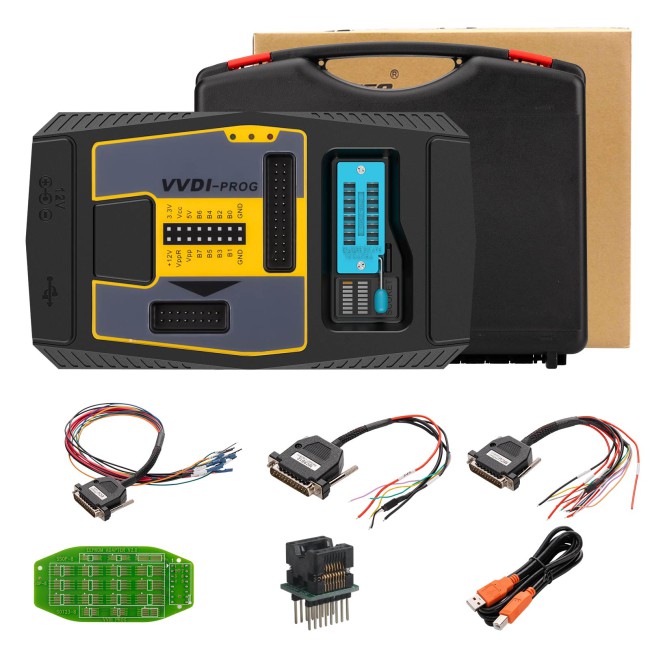
2. Xhorse VVDI Prog units:
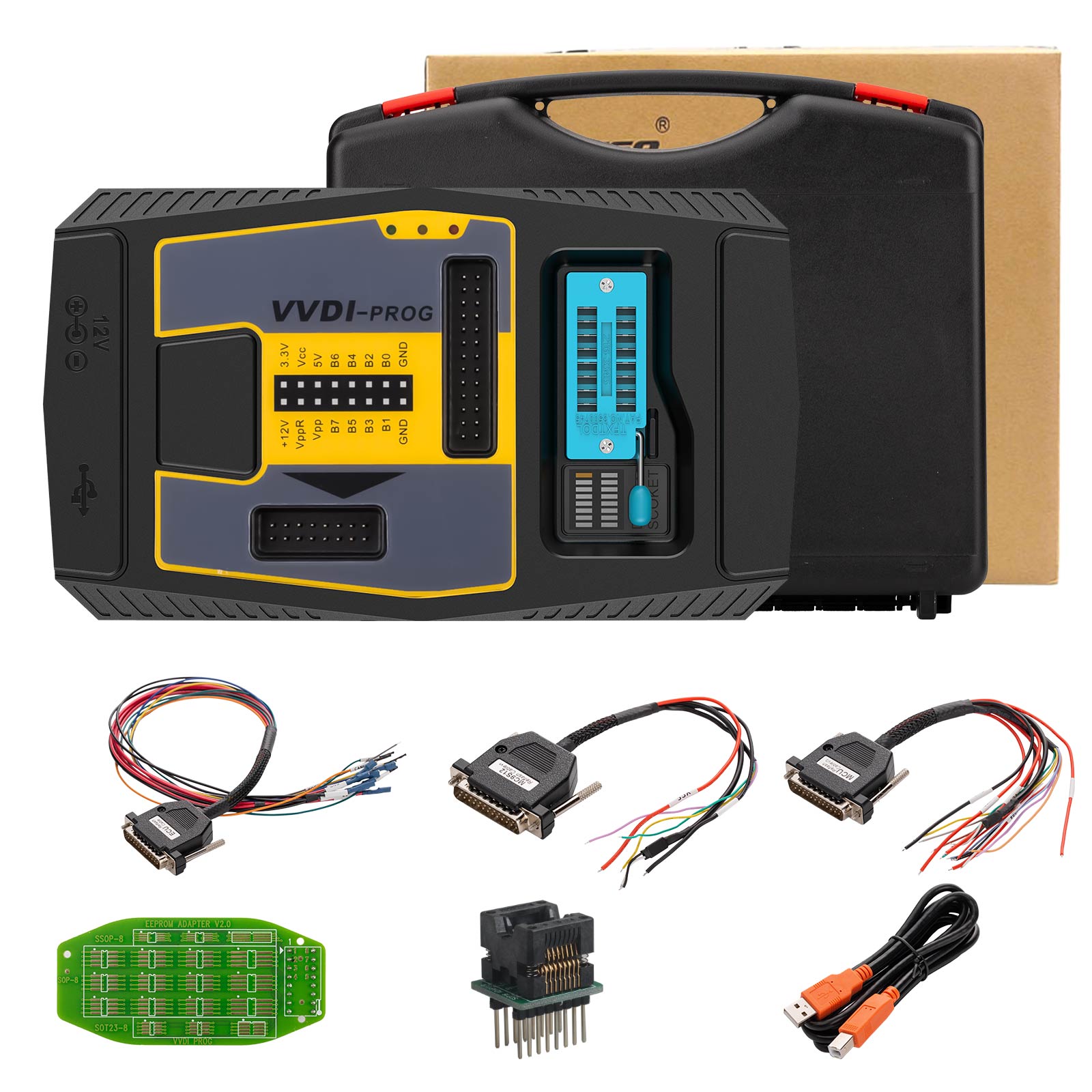
1. VVDI PROG device
2. EEPROM socket
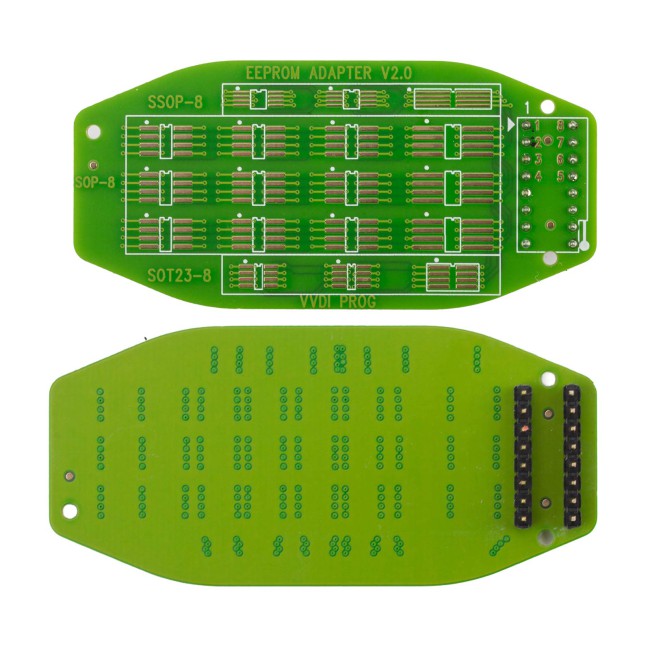
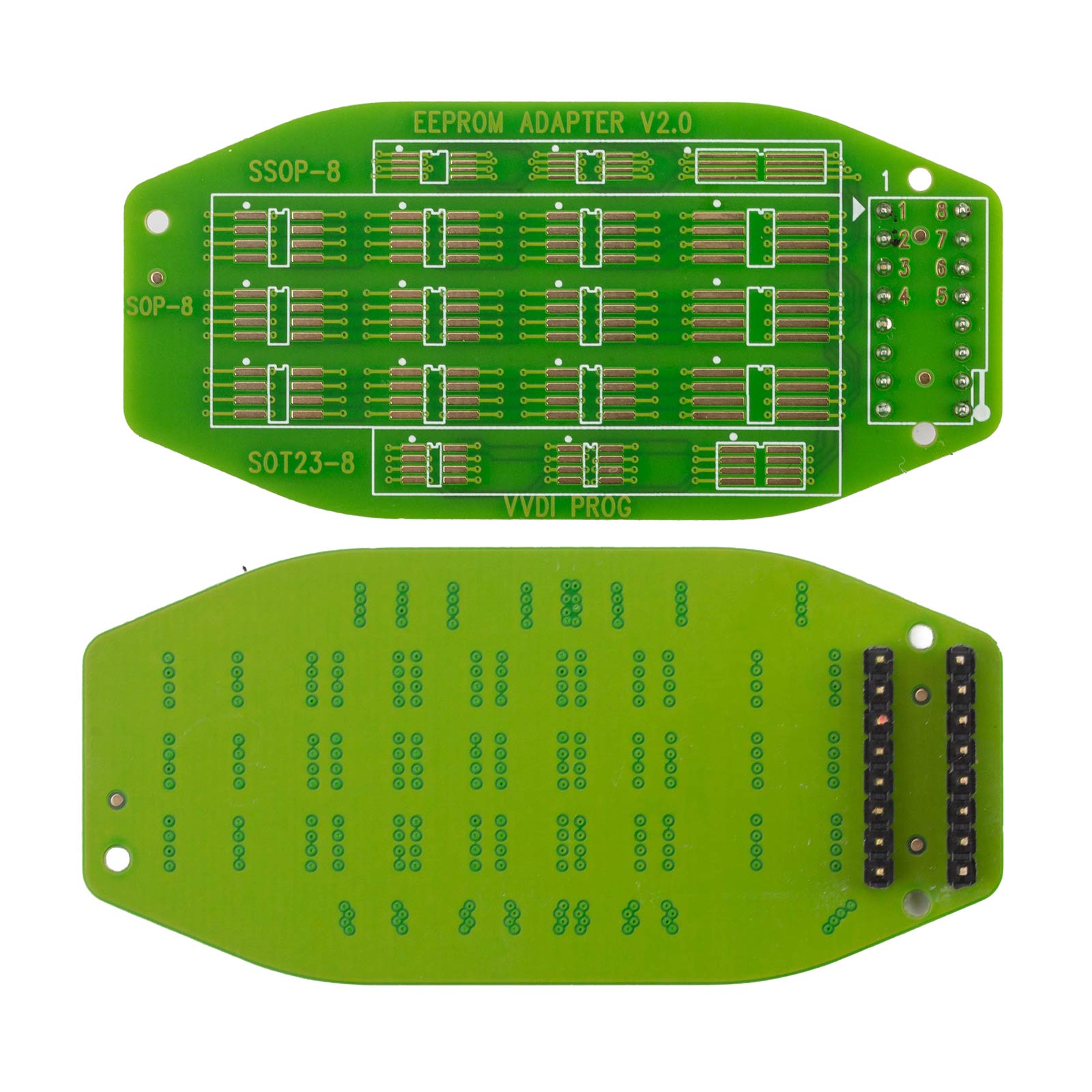
3. EEPROM adaptor
4. MC9S12 Reflash Cable V1
5. MCU Reflash Cable V2
6. ECU Reflash Cable
7. USB B-Type Cable
8. TB28FXXX adaptor (optional)
9. PCF79XX adaptor (optional)
3. VVDI PROG Unit description
3.1 16 Pin DIP socket
Function: Read EEPROM chips
Use method: Follow the image direction when inserting the DIP chip (PIN1 as yellow point show as the picture); SOP chip need soldering on 16Pin adaptor first, then insert the chip follow the image direction

3.2 MC9S12 Reflash Cable V1
Function: Read & Write MC9S08, MC9S12 series chips, the current version is V1
Use method: Soldering the line on the pin of the chip before reading & writing
Notes:
(1) Please check all connection lines, ensure a correct and reliable connection
(2) Please Don’t lengthen CLK and GND-C line, maybe cause read data failed
3.3 MCU Reflash Cable V2
Function: Read & Write MC68HC(9)12, V850, H8X, R5C series chips, current version is V2
Use method: Soldering the line on the pin of the chip before reading & writing
Notes:
(1) Please check all connection lines, ensure a correct and reliable connection
(2) Please Don’t lengthen CLK and GND-C line, maybe cause read data failed
3.4 ECU Reflash Cable
Function: Read & Write engine ECU
Use method: Connect the ECU and R&W
Notes:
Please check all connection lines, ensure a correct and reliable connection
VVDI Prog Software Overview:
1. Introduction
1) Support R & W lots of chips, include MC9S08 series, MC68HC(9)12 series, MC9S12 series, V850 series, H8X series, R8C series, PCF79XX series and most EEPROM chips etc.
2) Support chip data verify, check blank function
3) Support data file compare function
4) Support R & W BMW N20, N55 ECU ( show ISN directly )
5) Stable R & W MC9S12XE series chips (5M48H/1N35H/2M53J/3M25J etc.)
6) Support renew PCF79XX remote, currently support BMW E/F series
7) Lots of connection diagram
2. Software interface

① Operation options
File: Load data file
Buffer: Support copy, paste, search, fill function
Device: Support chip read, write, erase operation
Window: Compare two data files
Setting: Read&Verify, Write&Verify, Erase&Check Blank configuration
Language: Change the language, current support English and Chinese
② General options
Provide General function buttons, simple and easy for operation, include: new, open, save, read, write, verify, check blank, erase, calculator & upgrade
③ Read range
Parts of chips include several data areas, for example, EEPROM, FLASH and etc. click on the button select read range
④ Data display
Display the read data or load data, including hex and ASCII format
⑤ Power configuration
Display the status of power ( VCC, VPP, 12V), support change the voltage of VCC and VPP (The default voltage usually not need to change)
⑥ Special function options
Provide chips special function, for example, parts of chips have read chip ID, set security, reset security etc.
⑦ Chip option
Select the right option according to type, brand, and chip
⑧ Option Information
Display parameter information of current option
⑨ Connection diagram button
Click on the button, get the connection diagram of the current chip
⑩ Adaptor Type
The display needed an adaptor of the current option
⑪ Operation Information
Display operation information and saved it in the “log.bin” file
3. Driver installing
The driver install software saved in “driver” folder, include 2009 and 2016 version (recommend select 2009 version)

4. Online update
This function requires internet support
Click the “Upgrade” button enter the upgrade interface, show as the following picture
* Enter update interface, if software show ” communication with the server failed”, please close your Anti-virus and computer firewall and retry. If software show “unable to find equipment”, please reconnect device
* Tip information shows the latest software version and upgrades information
* Device information shows the device SN, device firmware version, and the latest firmware version
* Firmware upgrade steps:
1. Select the firmware version
2. Click the “Start Firmware Upgrade” button
3. Don’t close or pull out the USB cable before the upgrade finished
* Software upgrade steps:
1. Click the “Software Link 1” or “ Software Link 2” button, download software from the web
2. Extract the file
VVDI Prog Support Type List:
1. MEMORY
2. MCU
For the detail please refer to the VVDI Prog user manual
VVDI Prog Support Model List:
1. ECU
2. IMMOBILIZER
3. DASHBOARD
4. REMOTE
5. OTHER
For the detail please refer to the VVDI Prog user manual
The following adapters work together with VVDI PROG need to buy separately click to buy:
PCF79XX Adapter
New M35080/D80 Adapter
New EWS3 Adapter
New EEPROM CLIP Adapter
New EWS4 Adapter
Xhorse XDPG13CH AM29FxxxB
Xhorse XDPG14CH MC68HC05X32(QFP64) Adapter
Xhorse XDPG15CH MC68HC05BX(PLCC52) Adapter
Xhorse BENZ EZS/EIS Adapters
Xhorse TMS370(PLCC28) Adapter
Xhorse 35160DW Chip
1. Xhorse VVDI Prog specification:
Working temperature -20 ~ 70 ℃ (- 4 ~ 158 ℉)
Storage temperature -40 ~ 85 ℃ (-40 ~ 185 ℉)
USB interface USB 2.0
Power adaptor 12V / 2A
Consumption 1W
Device dimensions L: 146 mm W: 85 mm H: 28 mm
Package dimensions L: 220 mm W: 155 mm H:80 mm
Net weight 180 g
Gross weight 530 g
2. Xhorse VVDI Prog units:
1. VVDI PROG device
2. EEPROM socket
3. EEPROM adaptor
4. MC9S12 Reflash Cable V1
5. MCU Reflash Cable V2
6. ECU Reflash Cable
7. USB B-Type Cable
8. TB28FXXX adaptor (optional)
9. PCF79XX adaptor (optional)
3. VVDI PROG Unit description
3.1 16 Pin DIP socket
Function: Read EEPROM chips
Use method: Follow the image direction when inserting the DIP chip (PIN1 as yellow point show as the picture); SOP chip need soldering on 16Pin adaptor first, then insert the chip follow the image direction
3.2 MC9S12 Reflash Cable V1
Function: Read & Write MC9S08, MC9S12 series chips, the current version is V1
Use method: Soldering the line on the pin of the chip before reading & writing
Notes:
(1) Please check all connection lines, ensure a correct and reliable connection
(2) Please Don’t lengthen CLK and GND-C line, maybe cause read data failed
3.3 MCU Reflash Cable V2
Function: Read & Write MC68HC(9)12, V850, H8X, R5C series chips, current version is V2
Use method: Soldering the line on the pin of the chip before reading & writing
Notes:
(1) Please check all connection lines, ensure a correct and reliable connection
(2) Please Don’t lengthen CLK and GND-C line, maybe cause read data failed
3.4 ECU Reflash Cable
Function: Read & Write engine ECU
Use method: Connect the ECU and R&W
Notes:
Please check all connection lines, ensure a correct and reliable connection
VVDI Prog Software Overview:
1. Introduction
1) Support R & W lots of chips, include MC9S08 series, MC68HC(9)12 series, MC9S12 series, V850 series, H8X series, R8C series, PCF79XX series and most EEPROM chips etc.
2) Support chip data verify, check blank function
3) Support data file compare function
4) Support R & W BMW N20, N55 ECU ( show ISN directly )
5) Stable R & W MC9S12XE series chips (5M48H/1N35H/2M53J/3M25J etc.)
6) Support renew PCF79XX remote, currently support BMW E/F series
7) Lots of connection diagram
2. Software interface
① Operation options
File: Load data file
Buffer: Support copy, paste, search, fill function
Device: Support chip read, write, erase operation
Window: Compare two data files
Setting: Read&Verify, Write&Verify, Erase&Check Blank configuration
Language: Change the language, current support English and Chinese
② General options
Provide General function buttons, simple and easy for operation, include: new, open, save, read, write, verify, check blank, erase, calculator & upgrade
③ Read range
Parts of chips include several data areas, for example, EEPROM, FLASH and etc. click on the button select read range
④ Data display
Display the read data or load data, including hex and ASCII format
⑤ Power configuration
Display the status of power ( VCC, VPP, 12V), support change the voltage of VCC and VPP (The default voltage usually not need to change)
⑥ Special function options
Provide chips special function, for example, parts of chips have read chip ID, set security, reset security etc.
⑦ Chip option
Select the right option according to type, brand, and chip
⑧ Option Information
Display parameter information of current option
⑨ Connection diagram button
Click on the button, get the connection diagram of the current chip
⑩ Adaptor Type
The display needed an adaptor of the current option
⑪ Operation Information
Display operation information and saved it in the “log.bin” file
3. Driver installing
The driver install software saved in “driver” folder, include 2009 and 2016 version (recommend select 2009 version)
4. Online update
This function requires internet support
Click the “Upgrade” button enter the upgrade interface, show as the following picture
* Enter update interface, if software show ” communication with the server failed”, please close your Anti-virus and computer firewall and retry. If software show “unable to find equipment”, please reconnect device
* Tip information shows the latest software version and upgrades information
* Device information shows the device SN, device firmware version, and the latest firmware version
* Firmware upgrade steps:
1. Select the firmware version
2. Click the “Start Firmware Upgrade” button
3. Don’t close or pull out the USB cable before the upgrade finished
* Software upgrade steps:
1. Click the “Software Link 1” or “ Software Link 2” button, download software from the web
2. Extract the file
VVDI Prog Support Type List:
1. MEMORY
2. MCU
For the detail please refer to the VVDI Prog user manual
VVDI Prog Support Model List:
1. ECU
2. IMMOBILIZER
3. DASHBOARD
4. REMOTE
5. OTHER
For the detail please refer to the VVDI Prog user manual
The following adapters work together with VVDI PROG need to buy separately click to buy:
PCF79XX Adapter
New M35080/D80 Adapter
New EWS3 Adapter
New EEPROM CLIP Adapter
New EWS4 Adapter
Xhorse XDPG13CH AM29FxxxB
Xhorse XDPG14CH MC68HC05X32(QFP64) Adapter
Xhorse XDPG15CH MC68HC05BX(PLCC52) Adapter
Xhorse BENZ EZS/EIS Adapters
Xhorse TMS370(PLCC28) Adapter
Xhorse 35160DW Chip
VVDI Prog Package list:
1pc x Programmer multiplexer
1pc x Square USB cable
1pc x SOP16 test socket
1pc x 16pin converter (Support SOP/SOT/SSOP)
1pc x MCU reflash cable
1pc x ECU reflash cable
1pc x MC9S12 reflash cable (Used to program MC9S12 series chip)

Contact Us:
Email: Sales@OBDStore.eu
WhatsApp : +86 133 7268 9373
Shipping Policy
1. Czech and UK Warehouse Shipping: 3-5 working days. Fast Delivery & Tax Free.
EU Check: Ship from Czech
UK Check: Ship from UK
2. DHL Shipping: Suitable for customers worldwide. Will take 3-5 working days.
3. Yanwen Express: TAX Free for European Countries. Will take 7-10 working days normally.
More shipping details check.
Customers who viewed this item also viewed


Tags: XhorseShip from EU